

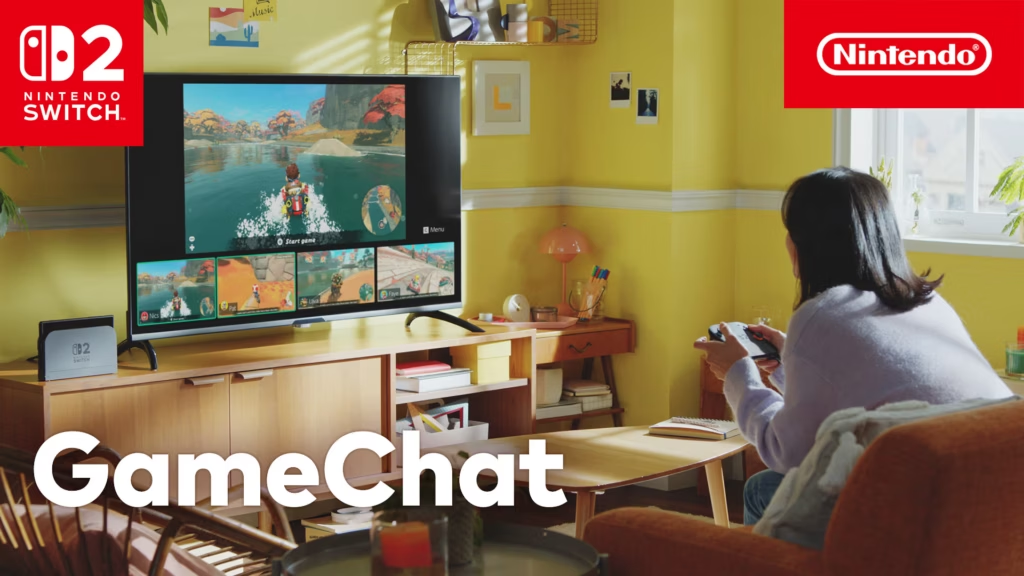
GameChat for Nintendo Switch 2 is Nintendo’s new built-in platform for voice chat, video calls, and screen sharing — and it’s already live. This GameChat Switch 2 guide explains everything you need to know, including requirements, setup, and GameShare support. Even better, it’s free until March 2026 for all users, including those without a paid NSO membership.
GameChat Switch 2 Setup: What You Need
- Switch 2 console: GameChat is not supported on the original Nintendo Switch.
- Nintendo Switch Online (NSO): Normally required — but temporarily free from June 5, 2025 through March 31, 2026.
- Phone number verification: Required for account security.
How to Use GameChat on Nintendo Switch 2
- Press the “C” Button: Opens GameChat instantly from the right Joy-Con 2 or Switch 2 Pro Controller.
- Home Menu Access: Launch GameChat directly from the main UI bar.
- Accepting Invites: You’ll see who else is in the room before joining.
Main Features: Voice, Video, and Screen Sharing
- Voice Chat: Talk with up to 24 friends in one room, even from standby mode.
- Video Call: Up to 4 participants with USB-C camera support.
- Screen Sharing: Share your gameplay live with up to 4 viewers — and view their screens too.
GameShare via GameChat
Just like DS Download Play, GameShare lets users play supported multiplayer titles even if only one player owns the game. Several Switch 2 titles (and a few legacy Switch ones) already support this feature through GameChat.
Parental Controls & Safety
All GameChat features are tied into Nintendo’s updated parental control system. Parents must explicitly enable chat, video, and screen sharing for child accounts. Invitations can also be manually approved or blocked in real-time.
🎮 Suggested Reading
🔗 Related: Check out our full guide on unlocking every character in Mario Kart World.
